Structure
Catalogue architecture
We gave collections, categories and individual products distinct jobs, so the catalogue can grow without flattening into one long grid.
For Flooring House, a flooring retailer in Melbourne, we connected four product families, hundreds of listings and quote context into one clear browsing system, from the first room image to an informed enquiry.
 Collection entry / source asset
The useful first choice is broader: timber, hybrid, laminate or carpet. We built the information architecture around that reality, then introduced specifications when they became helpful.
The second challenge was continuity. A product page could not be a dead end. The selected floor, required area and installation preference needed to stay intact as the visitor moved towards an enquiry.
This compact recreation joins the product catalogue to its quote basket. Change the material, adjust the area and see exactly what the enquiry carries forward.
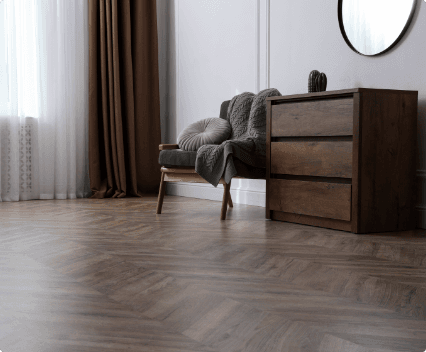
A dedicated category story, then the shared catalogue system.
The specimen quote basket is empty.
Hundreds of possible product paths still need to feel like the same website. We made these rules reusable so a new collection does not require a new design.
We gave collections, categories and individual products distinct jobs, so the catalogue can grow without flattening into one long grid.
Material imagery starts the journey. Sorting, size filters and concise cards take over once a visitor is ready to narrow the field.
Area, product and installation preference travel together. The enquiry arrives with useful context instead of a product name alone.
Desktop sidebars become focused mobile drawers. Basket and filter panels manage focus, close on Escape and return people to where they were.
Collection images help people compare. Real installations show how those choices resolve in a room. The interface keeps both useful without forcing either into an oversized, soft-looking crop.

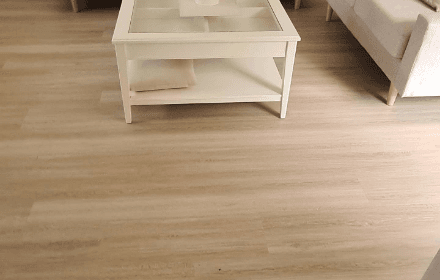
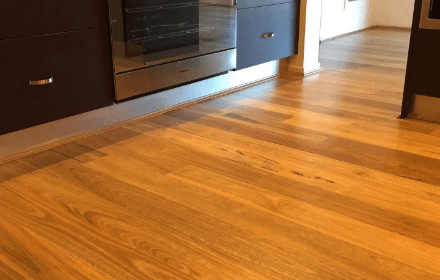
We let wide room details and taller completed-project shots work together instead of forcing every photograph into the same crop. The result stays crisp and editorial.
Catalogue imageProduct grids need room to breathe. On smaller screens the persistent filter column becomes a focused drawer, while result counts and active choices remain visible.
The finished build connects browsing, product detail and enquiry without asking the customer to repeat themselves. It is also structured for the less visible work: category growth, local landing pages, accessible drawers and consistent product data.
 Hybrid
 Canadian Warm Oak
 Grey Stone
 Brush Box
 Matterhorn